Simulation
Zenith tells you how long a routine takes and where the robot goes before you put it on a field. It has two simulators and one quick estimate:
| where it runs | how fast | what it is | |
|---|---|---|---|
| Estimate | everywhere: editor, CLI, MCP server | instant | a kinematic model of travel time. The checks and the time totals use it. |
| Instant preview sim | the editor, in the web and desktop apps | re-runs after every edit | a port of the Pedro v3 follower driving a model mecanum drivetrain. The Instant sim playback level uses it. |
| High-fidelity sim | the desktop app and zenith sim |
seconds to minutes | your robot repository's own headless simulator, running your real robot code |
The estimate and preview use the numbers in your files. The high-fidelity sim runs your robot code
against your repository's simulated hardware and physics. It can reveal behaviour the estimate cannot,
but its accuracy still depends on that model. When results disagree, check the inputs, units and model
before using zenith calibrate. Confirm the result on the real robot.
Playback levels
The robot you watch on the field can come from three places. Pick one with the Playback control under the timeline's scrubber:
| level | the robot | the clock | use it for |
|---|---|---|---|
| Ideal (default) | on the planned path exactly, heading exactly as the heading mode says | the estimate | checking the plan itself, the way the public Pedro visualizer draws it |
| Instant sim | the instant preview sim's robot, with its drift and overshoot | the preview sim | a rough idea of how the real robot drives it |
| Full sim | the recorded poses of a high-fidelity sim trace | the trace | the closest match to the robot |
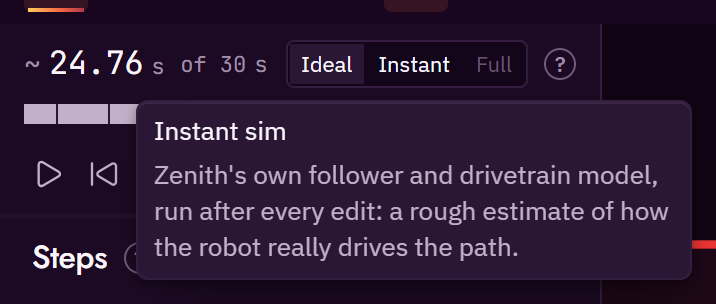
The choice is remembered with your other editor preferences. Ideal is the default on a first visit.
Everything that depends on the robot's simulated pose follows the level: the label under the robot on the field, which names it, the timeline's one total and its playhead, the time in the hover readout on a path, and the bars. The timeline names the level only on its switch. The trace report in the Simulate dialog, and the inspector's recorded time, are always the full sim's.
A full sim records the whole period, so its trace goes on after the routine ends while the robot stands still. At the Full sim level the total, and the scrubber, end where the routine ended: at the end of the last step the trace records. While a run is still arriving, playback goes on to the last moment received and waits there.
Ideal
The ideal robot drives each path along its geometry with no wobble and no overshoot, at the speed
the estimate gives each point, then holds the end pose for the settle time, unless
another path follows straight away, in which case it carries straight on as the robot does. A wait
or a command holds the pose for its estimated time. A parallel group follows the member that
drives, and a branch follows its then side for as long as the estimate says the branch takes.
A command marked movesRobot that the next path rejoins (rejoinFrom) is the exception: the robot
drifts from where the command starts to the rejoin pose over the command's time, on a straight line,
eased from rest to rest, so the next path starts there with no transition. Where the command really
takes the robot is not known, so the editor draws it as a ghost while it drifts.
Where a step does not start where the robot is, the ideal robot does not jump. A path whose from
is a literal pose away from the last step's end, or whose heading mode starts facing another way,
gets a transition: the robot turns and drives in a straight line to the path's start. It is
timed with the same model as a path, from rest to rest, and a pure turn takes the turn at
maxAngularVelRadPerS. On the field the transition is a thin dashed line.
A pure turn is the path's joint turn, which the estimate already counts, so the
ideal robot plays it inside the path's own time and the timeline shows it as the hatched start of
the path's bar. Only a drive across a gap is time the estimate does not count: it is a hatched block
before the step, its tooltip says how far the robot drives and turns, and the ideal total is longer
than the estimate's total by exactly that. A gap is a literal-pose from, or what a timeout leaves:
a path whose timeoutS is shorter than its estimate is counted up to its timeout, so the ideal
robot stops where the timeout runs out, short of the path's end, and the next path, which starts at
that end, opens with a transition across what is left.
Instant sim
The Instant sim level is only offered once the preview sim has run the routine. If the preview cannot run the routine, the option is disabled and its tooltip gives the reason.
Full sim
The Full sim level needs a trace. The desktop app writes one when you run the high-fidelity sim. In the web app, run your sim command in the robot repository and load the trace it writes from the Simulate dialog (F5). Until a trace is loaded the option is disabled, and its tooltip says how to get one. A remembered Full sim choice plays Ideal until a trace is loaded.
When the times disagree
Compare the same auto, alliance and robot settings at each level:
- Ideal follows the plan. A literal gap between steps can add a transition to its total.
- Instant sim follows the plan through the simulated follower and drivetrain. Turning, overshoot and settling can make it take longer than Ideal.
- Full sim uses the loaded recording. It may come from an older edit; check which file and run produced it, then rerun after changing the auto or robot settings.
A longer time alone does not identify a fault. Start with the step where the two runs diverge. Check its heading, speed, end condition and timeout, then the robot's measured limits. The SimLoop setup guide explains how to produce a trace from your robot repository.
The estimate
Pedro v3 is a geometric follower: it has no precomputed speed profile to read. So Zenith estimates each path's time with a kinematic model, says what the model assumes, and calibrates it against recorded runs.
For each path, sampled every 2 in along its length:
- Speed cap by direction. The robot's top speed in its own frame is an ellipse with
maxForwardVelInPerSnose-on andmaxStrafeVelInPerSsideways, times the path'sspeedFraction. Driving sideways is slower. - Braking. The robot must be able to stop at the end. Stopping distance uses a deceleration
between
forwardDecelInPerS2andstrafeDecelInPerS2, on the same ellipse. On most mecanum robots sideways braking is much weaker, which is why a strafing leg costs more than its top speed suggests. - Acceleration.
accelInPerS2, starting from the previous step's end speed: zero after a stationary command, carried through when paths follow each other. - Heading rate. Where the heading mode asks for a turn faster than
maxAngularVelRadPerS, the robot slows down until it fits. - Curvature. On a curve, speed is capped so the sideways acceleration stays within
strafeDecelInPerS2. This is a proxy for how hard the drivetrain can hold a curve. - Profile. A forward and a backward pass over those caps give the speed at every sample, and the time is the sum of distance over speed.
- Settle.
settleS(0.25 s by default) is added for the follower to settle at the end. A path followed straight away by another path adds none, because the robot starts the next path without waiting for the first to settle. It still brakes into the joint: Pedro brakes into the end of every path it is given. To drive through a joint without slowing, put both legs in one path step as two segments. - Joint turn. A path that starts where the robot is but facing another way, such as a tangent
path leaving a corner in a new direction, or the first path when the start pose faces elsewhere,
first turns in place at
maxAngularVelRadPerSand then drives off from rest. The turn is part of that path step's time and of its band, so the total andTIME_BUDGETcount it. A path that starts somewhere else is a gap the estimate does not time, andCONTINUITYreports one past 0.5 in. - Turn on the spot. A path step with no length is a turn on the spot, which the robot runs by
holding the end pose until it settles (Step kinds). It takes the turn
from the way the robot arrives to the end heading at
maxAngularVelRadPerS, with no settle on top. The ideal robot plays it as a pure turn inside the step's own time, and the instant sim holds the pose until the heading is within two degrees and the position within 0.5 in, or until the robot has stayed still for a quarter of a second within ten degrees and 2 in, the same rule as the robot (TurnSettle). The sim's hold comes to rest up to about 1.1 degrees off with Pedro's default heading P, so two degrees is always reached; a weaker heading P ends on the still rule instead. The sim takes longer than the estimate, because the hold also brakes and settles. A path of 2 in or less, which the robot also holds rather than follows, takes at least the time its heading change takes at that rate, and the instant sim ends it only once the robot has driven to its end, so a short drive with no heading change still takes time.
Everything else:
- A
commandtakes itsestimateSfromrobot.json, or is marked unknown. - A
timeoutSbounds its step. A wait until a condition, or a command with no estimate, still counts as zero in the total but takes at most its timeout, andTIME_BUDGETsays whether the routine fits when it runs the whole of it. A step estimated longer than its timeout is counted at the timeout, where the robot stops it and where the ideal robot stops too, andTIMEOUT_TIGHTwarns. - A
sequencecosts the sum of its steps. - A
parallelgroup costs its longest member underall, its shortest underrace, and its deadline member underdeadline. - A
branchcosts the longer of its two sides.
The estimate is a range: nominal, plus or minus a band. The band is ±20 % until a calibration sets
kinematics.calibration.band in robot.json. TIME_BUDGET
compares both ends of the range with the autonomous period.
Run it on the command line with:
--explain prints the assumptions behind the numbers.
Instant preview sim
The preview drives your routine through a model of the robot, tick by tick, and shows the result as you edit. At the Instant sim playback level it is what you watch when you press play, what the robot follows when you scrub the timeline, and what fills the timeline's preview bars. It re-runs after every edit, starting from the first step the edit changed, so an edit near the end of a long routine costs only that end.
It is deterministic: the same files always give the same run, in the web app and the desktop app.
A caller of the sim in code can ask for a run that ends when one top-level step is done, at its end
or, for a path whose hold settles, at its settle time (stopAfterStepId). The result is the start
of the full run, pose for pose. A step still running at that moment is cut off there as
interrupted, without a timeout or condition that ended it later. Nothing in the editor uses it yet.
What it models
The follower. The preview follows paths the way Pedro v3's ForesightV3 follower does, ported from Pedro's own source:
- Each tick it projects where the robot would stop if it braked now, finds the closest point on the path to that projected pose, and drives along the path's tangent there.
- It brakes once the projected stop passes the end of the path.
- Translational correction pulls the robot back toward the path, with separate forward and strafe gains. Heading is corrected toward the heading mode's target.
- Drive, correction and heading powers are combined and scaled so no wheel passes full power, and braking power is capped.
- A path step ends when the follower passes 97.5 % of the last segment, while the robot may still be moving, as it does on the robot. The follower then holds the end pose. The time until the hold meets Pedro's end tolerances is reported separately as settle time.
- A
linearheading turns each segment's share the short way, as Pedro does.
The drivetrain. Mecanum wheel powers from drive, strafe and turn; a first-order response for
each wheel; and a chassis that coasts down at forwardDecelInPerS2 and strafeDecelInPerS2 when
no wheel is powered. The turning limit follows maxAngularVelRadPerS, or the track width and wheel
base when kinematics.drivetrain gives them.
The command tree. Steps run in the same order the robot's scheduler runs them. Markers fire on
distance travelled, as the runtime's markers do: none past the point where an end condition cut the
path short, and a marker that starts interrupts any running marker that shares a subsystem with it,
read from the commands' requires in robot.json. A "current" path starts from wherever the
simulated robot is. parallel, sequence and branch groups follow their rules on the
Step kinds page.
Game state. Conditions marked with a ledger in robot.json ("full" or "empty") are
answered from what the robot holds. By default that is hopperFull and hopperEmpty.
Where its numbers come from
The preview reads robot.json. The follower's gains and tolerances are the optional keys under
kinematics.follower, listed in the file format reference. Copy them
from your Pedro constants for the closest match to your robot. A key left out falls back to Pedro's
default, or to a value derived from your measured speeds and decelerations.
Limits
The preview is a model that estimates. It does not simulate physics exactly, and it only knows what your files tell it.
- Default braking is gentle. Without your Pedro brake coefficients, the preview brakes by coasting to rest. Real braking is shorter, so default stops run long.
- Commands take their
estimateS. A command's mechanism is not simulated. A command with an"unknown"estimate takes one tick and marks the step unknown. A command markedmovesRobotis marked unknown too. When the next path rejoins it (rejoinFrom), the preview moves the robot to the rejoin pose over the command's time, along the same eased line as the Ideal level, and the path then starts from there. It is a guess at where the robot goes, not a prediction. - Conditions it cannot see never fire. A sensor condition with no
ledgermeaning never reads true, and the step is marked unknown. Abranchon such a condition takes itsthenside. - Collection is approximate. A path whose
endConditionwaits for a full hopper stops where the ledger says it fills, taking the pieces as evenly spaced along the path. The robot reads anendConditionevery loop, so it ends a turn on the spot too; there the pieces are taken as arriving evenly over the turn. - No contact. The preview does not model the robot hitting field elements or pushing game pieces. The checks catch overlaps from the geometry instead.
- It differs from the estimate. The estimate runs each path to rest and adds
settleS; the preview, like the robot, ends a path at 97.5 % while still moving. At high speed on short legs the preview is noticeably shorter. Calibration closes the gap.
High-fidelity sim
The high-fidelity sim runs your robot repository's own headless simulator: your real command tree, the real Pedro follower and your simulated hardware. Zenith starts it, waits, reads back a trace of what happened, and draws it over the plan.
Setting it up
Your robot repository needs a headless test that loads an auto file, runs it for the autonomous
period, and writes a trace. Tell Zenith how to run it in zenith.json. This is the starter
example's sim block:
"sim": {
  "command": "./gradlew :TeamCode:testDebugUnitTest --tests \"*ZenithAutoHeadlessTest*\" -Dzenith.auto={auto}",
  "trace": "TeamCode/build/sim/{auto}.trace.json"
}
ZenithAutoHeadlessTest stands for your own test class. {auto} is replaced with the auto's name.
The name is validated first, the command runs without a shell, and the trace path must stay inside
the repository.
The test and the trace writer live in your robot repository. See Robot runtime for the runtime that loads auto files on the robot, and Full sim with SimLoop for a complete setup that starts from SimLoop's starter folder.
Running it
In the desktop app, press High-fidelity sim. The app:
- asks you to save first if the auto has unsaved edits, because the sim runs the file on disk;
- runs the command and streams its output into a panel, with a cancel button;
- reads the trace and draws the simulated path over the plan, fills the timeline with the actual times, and makes the Full sim playback level available.
The sim needs Java 17 or newer. The app looks at JAVA_HOME, then the PATH, and says so in plain
words if it finds none. The first run can take a few minutes while Gradle downloads dependencies.
With a sim.server section in zenith.json, the app can keep a sim server running instead of
starting Gradle for every run. Settings, General, Full sim speed chooses Basic (the command
above, every run), Fast (the default: the server starts on the first run and the run plays as it is
simulated) or Ultrafast (the server starts with the project and runs a saved auto again in the
background, so its next run plays at once). Full sim with SimLoop
explains each speed, what it costs, and the sim.server keys.
The web app cannot start a local process, so it cannot run the high-fidelity sim. It can load a trace the sim wrote, from the Simulate dialog, and play it at the Full sim level.
On the command line:
--timeout <seconds> stops a sim that hangs, --open also renders an SVG of the plan next to the
trace, and --json prints the report as JSON.
The trace
The trace is a JSON file your robot repository's test writes. It holds each step's start and end
time, the robot's poses every tick, contacts with field structures, and the ledger. This is the
shape of a trace for the starter example's first-auto, cut down to its first pose. The step times
shown are the planner's estimates for those steps, not a recorded run; your sim writes its own.
{
  "formatVersion": 1,
  "auto": "first-auto",
  "simTimeS": 32.0,
  "tickS": 0.02,
  "steps": [
    { "id": "driveOut", "startS": 0.0, "endS": 1.59, "interrupted": false },
    { "id": "scorePreload", "startS": 1.59, "endS": 4.09, "interrupted": false },
    { "id": "park", "startS": 4.09, "endS": 5.71, "interrupted": false }
  ],
  "poses": [ [0.00, -12.0, -63.0, 1.5708] ],
  "structureContacts": [],
  "ledger": [ { "timeS": 4.09, "held": 0, "launches": 4 } ],
  "events": [],
  "capabilities": ["structureContacts", "ledger"]
}
Each entry in poses is [timeS, xIn, yIn, headingRad]. Each step's startS and endS are
finite, with endS no earlier than startS; steps are listed in the order they start, and the run
lasts until its last pose or its latest step end, whichever is later. capabilities lists what this
sim build can measure. A check whose capability is missing is reported as inert rather than passed.
The other sections are optional, and each one is what your sim models beyond the drive:
structureContacts: each time the chassis touched a field structure, with the structure's name and how far it went in, in inches.ledger: the robot's game state when it changed.heldis how many pieces it holds,launcheshow many it launched since the previous row (the report adds them up), andtipshow many tips each alliance has so far. A value a row leaves out is not reported, not zero.events: anything worth marking on the timeline, such as{ "timeS": 6.3, "kind": "tipStarted", "alliance": "RED" }.sha: the commit the sim ran.
The runtime's AutoTraceWriter writes all of them. Each is recorded at the time of the last
trace.tick(timeS):
trace.capability(AutoTrace.STRUCTURE_CONTACTS);   // once, before the run, if your sim checks contacts
trace.capability(AutoTrace.LEDGER);               // and if it counts game pieces
trace.sha(commit);
// each tick, as things happen:
trace.structureContact("hiveRedPivotBar", 1.3);
trace.ledger().held(1).launches(3).tips("RED", 0);
trace.event("tipStarted", "RED");
A clean run records no contacts, so declare the capability yourself. Without it, an empty
structureContacts reads as "not checked", and the report calls the check inert.
The report
For each step: estimated against actual time, and the largest distance between the planned path and the recorded poses. For the whole run: total time, structure contacts (there should be none), launches, and what the robot holds at the end.
Headless harnesses differ from the robot
A headless harness is a model too. If yours does not report the robot's velocity to the follower, Pedro never projects a stopping distance and every stop overshoots by a few inches. The robot does not. Compare against a real-robot recording before you tune for a harness quirk.
Calibrating the estimate
zenith calibrate fits the estimate's free numbers to recorded traces:
It reads every *.trace.json in traces/ if your repository has that folder, otherwise in the
folder of zenith.json's sim.trace. --traces <dir> picks another folder. It pairs each recorded
path step with the plan's step of the same id, then fits:
accelInPerS2, the acceleration;settleS, the settle time at the end of a path;- a scale for each heading mode (
tangent,constant,linear), since legs that strafe behave differently from nose-first legs.
It prints the fit and the residual band: how far off the fitted estimate still is. Without
--write, nothing changes. With --write, it writes accelInPerS2 and settleS into robot.json,
labelled CALIBRATED FROM SIM <date> (<n> steps). --date sets the date in the label. The per-mode
scales are reported but not written yet.
CALIBRATED FROM SIM and CALIBRATED FROM ROBOT
The fit is the same either way. The label says where the traces came from, and that changes how much the number is trusted:
| label | traces from | trust tier |
|---|---|---|
CALIBRATED FROM SIM |
the high-fidelity sim | derived: as good as the sim |
CALIBRATED FROM ROBOT |
the real robot, recorded with the same trace writer running on the robot | measured |
A number fitted from the sim can only be as good as the sim's model of your drivetrain. A number fitted from the real robot is a measurement. Recalibrate from the robot when you can.
Warning
zenith calibrate --write always writes CALIBRATED FROM SIM. If your traces came
from the real robot, change the label to CALIBRATED FROM ROBOT by hand.